
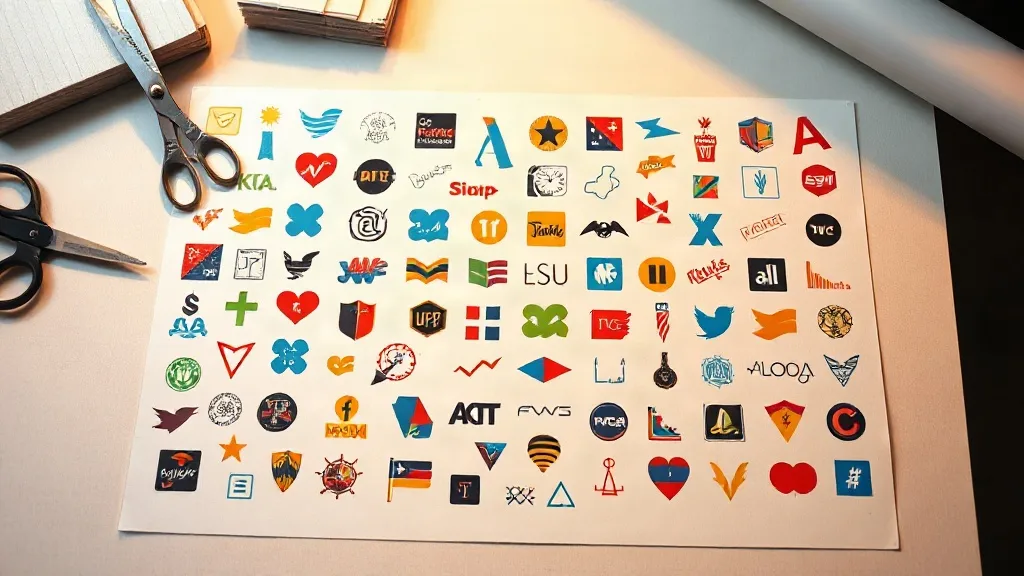
Most print shops lose money on transfers long before the heat press ever switches on. The culprit is rarely the ink or the powder. It is the empty space. A DTF Gangsheet is essentially a shared canvas: many individual designs placed onto one sheet of film, printed in a single pass, then cut apart and applied one by one. Get the arrangement right and your cost per transfer drops quietly in the background. Get it wrong and you are paying for film, ink, and powder that end up in the bin. This guide is about the arrangement itself, the part of DTF work that rewards a few minutes of thinking far more than another round of tinkering with printer settings.
What a Gangsheet Really Costs You
It helps to stop thinking of a gangsheet as a print job and start thinking of it as real estate. Every square inch of film has a price attached, and that price is a blend of several inputs: the film itself, the white and color ink laid down, the adhesive powder, the curing time, and the labor of handling and cutting. When you leave a wide margin around a small logo, you are not just wasting film. You are also paying for ink and powder that never touch a garment.
Shops that track this carefully usually find that their effective cost per transfer is dominated by wasted area, not by the raw price of consumables. That is why two shops using identical printers and identical film can have very different margins. The difference is usually in how they build the sheet.
A Quick Mental Model for Costing
You do not need a spreadsheet to get useful numbers, but a simple model keeps you honest. Estimate the total printable area of your film roll, note how much of it your designs actually occupy, and compare that to the total you charge for the transfers on that sheet. The gap between occupied area and total area is your waste, and it is the first thing to attack.
- Occupied area: the true footprint of every design including its cut line.
- Dead area: gaps, margins, and awkward shapes that cannot be filled.
- Recoverable area: dead space that a better layout could have used.
Most shops are surprised by how much of their waste is recoverable rather than unavoidable. Odd shapes like tall letters or circular badges create genuine gaps, but those gaps can usually be filled with small add-on designs rather than left empty.
Grouping Designs by Ink and Purpose
The instinct is to fill every sheet completely. A fuller sheet is cheaper per transfer, but only if the transfers on it are ones you will actually sell. A perfectly packed sheet of designs nobody orders is just a tidy way to lose money. The better approach is to group designs by how they move through your business.
Batch by Order, Not by Whim
If a customer orders twenty shirts in three sizes with the same front graphic, those transfers belong together. Grouping by order keeps your cutting and pressing workflow simple and reduces the chance of mixing up sizes. It also means the sheet you build has a clear purpose, which makes it easier to judge whether the layout is efficient.
Batch by Color Profile
Designs that share a similar color palette and white ink coverage tend to print more predictably together. Mixing a heavy dark block next to a delicate line drawing on the same sheet can create curing headaches, because the powder adheres differently across uneven ink loads. Keeping similar ink weights together gives you a more even result and fewer rejects.
Keep a Filler Library
This is the single most practical habit for reducing waste. Maintain a folder of small, high-demand designs: pocket logos, sleeve badges, simple wordmarks, and popular one-color graphics. When a large order leaves awkward gaps on a sheet, drop in fillers that you know will sell. Over a few weeks, these fillers become a steady stream of ready-to-press stock without a dedicated print run.
Nesting Techniques That Actually Save Film
Nesting is the craft of fitting irregular shapes together so the gaps shrink. It sounds technical, but the principles are simple and you can apply them by hand or with your RIP software's nesting tools.
- Rotate before you resize. A long, narrow design often fits a gap when turned ninety degrees. Try rotation first, because shrinking a design changes the final product.
- Pair curves with curves. Circular badges leave crescent-shaped gaps that a second circle or a small arc-shaped design can partly fill.
- Nest tall shapes against the sheet edge. Long vertical designs waste less when aligned to the film edge rather than floated in the middle.
- Leave a consistent cut channel. Tight packing is worthless if your cutter cannot separate designs cleanly. A small, uniform gap between cut lines keeps trimming accurate and avoids nicking a neighboring transfer.
The consistent cut channel point is worth repeating. Many shops pack designs so tightly that trimming becomes slow and error-prone, and the labor cost eats the film savings. Aim for the tightest layout your cutting process can handle reliably, not the tightest layout that is theoretically possible.
Mind the White Ink Underbase
Every design on a gangsheet carries a white underbase, and that base is what makes the transfer opaque on dark garments. Two designs placed too close together can share a white layer in ways that blur their edges, especially after powdering. Give the white base its own breathing room even when the color art looks well separated. This is one place where a slightly looser layout produces better results than a maximally tight one.
Practical Workflow for Building a Sheet
A repeatable process beats inspiration. Here is a sequence that works well in small and mid-sized shops.
- Start with the must-print designs from confirmed orders and place them first.
- Identify the large dead zones and fill them with filler-library items.
- Check the cut channel spacing across the whole sheet before printing.
- Review white ink coverage for extreme contrasts and adjust placement if needed.
- Save the layout as a template so a repeat order can be rebuilt quickly.
That last step is easy to skip and easy to regret. Templated layouts turn a fiddly job into a two-minute task the next time the same order comes around.
Common Mistakes That Quietly Raise Your Costs
Some habits look harmless but add up over hundreds of sheets. Watch for these.
- Printing a sheet for a single small design. Unless the order is urgent, fold small jobs onto a shared sheet with other work.
- Ignoring orientation. Film has a grain and your printer feeds in one direction; aligning designs with the feed can improve registration consistency.
- Skipping the pre-print review. A two-minute check on a screen catches overlaps that would cost a full sheet to reprint.
- Overpacking to the edge. The outer margin exists for a reason; designs too close to the film edge can curl and cure unevenly.
None of these require new equipment. They require a habit of looking at the sheet as a whole before pressing print.
Frequently Asked Questions
How much empty space is acceptable on a DTF gangsheet?
There is no fixed number, but shops aiming for efficiency usually treat anything above roughly a fifth of the sheet as worth investigating. Some waste is unavoidable with irregular shapes, so focus on recoverable gaps you could fill with small designs rather than chasing a perfect fill.
Can I mix different garment sizes on one gangsheet?
Yes, and it is often smart. A sheet can hold a large back print, several smaller front prints, and a few sleeve logos at once. The key is to group them by order so cutting and pressing stay organized, and to keep the cut channel consistent across all sizes.
Does packing designs tightly affect print quality?
It can if you push too far. Designs placed too close may share white ink at the edges, and a tight layout leaves less room for accurate cutting. Keep a uniform gap between cut lines and give the white underbase some breathing room to protect edge sharpness.
How do I handle odd-shaped designs that leave big gaps?
Fill the gaps with small, high-demand designs from a filler library. Pocket logos, sleeve badges, and simple wordmarks are ideal because they sell reliably and fit into awkward spaces. Over time this turns waste area into ready-to-press stock.
Should I save gangsheet layouts for repeat orders?
Absolutely. Saving a layout as a template means a returning order can be rebuilt in minutes instead of rebuilt from scratch. It also keeps sizing and spacing consistent, which reduces errors during cutting and pressing.